There is a moment on every long drive when the phone slides off the dashboard, the signal drops in a valley, and someone in the passenger seat asks the question that decides the next hour: which way? What you reach for in that moment says a lot about how you travel. A paper map, an offline navigation app and a dedicated GPS unit each solve a different part of the same problem, and the honest answer to "which one is best" is that most well-prepared road trips use at least two of them.
Three Tools, Three Different Jobs
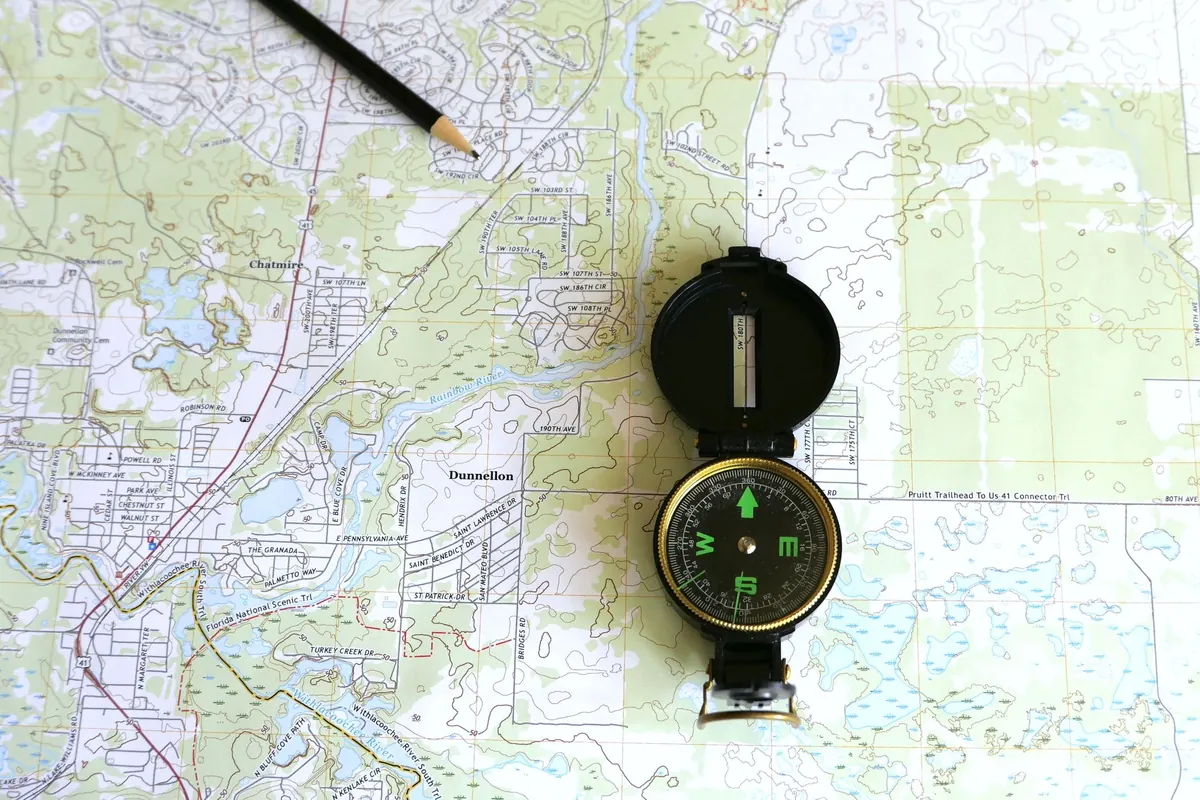
A paper map is an overview. One sheet of northern Portugal, or a folded regional map of the Alps, shows the shape of a trip in a single glance: where the coast bends, where the mountains begin, which small road links two towns whose names you liked the sound of. It has no battery, no update prompt and no opinion about the route you ought to take.
An offline app is a searchable index of that same world. Download a region while you are on wifi at home, and the phone keeps the map tiles and routing data on the device. You can search a street name, find fuel, or see at a glance whether the next stretch is a motorway or a string of hairpins. The catch is the screen: a phone shows a window, not a map.
A dedicated GPS unit lives on the windscreen or the dash, runs from the car's power, and recalculates without drama when you miss a turn. It is built for one job and keeps doing it in rain, in gloves, with no signal at all.
Reliability: Tunnels, Valleys and Dead Batteries
Where paper wins
Paper never asks for a password. It works in an underground car park, on a ferry with no roaming, and on a mountain pass where the last sign was forty minutes ago. If a road is closed for a weekly market or a landslide, the map still shows you the alternative valley — you simply have to read it. The failure mode is human: a map left on the roof of the car, or a fold that wears through at exactly the junction you needed.
Where the app wins
A downloaded offline region is remarkably robust. It gives you turn-by-turn guidance, live position, and search, and it can reroute around a closed street. What breaks it is usually boring: the download was never completed, the download expired or was cleared by a storage cleanup, or the phone's location accuracy degrades in dense old towns where GPS signals bounce between tall buildings. Test your offline region on the first quiet day of the trip rather than the night you need it.
Where the GPS unit wins
It is the least distractible of the three. No notifications, no messages, a screen designed for a glance at speed. Its weakness is that it knows roads and addresses well and context poorly: scenic detours, a farm track to a guesthouse, the fact that the "fastest" route runs through a town centre you would rather avoid.
Battery and Power Planning
This is where most comparisons get practical fast. A phone running continuous navigation with the screen on drains far more quickly than one sitting idle in a pocket, especially in heat, which is also when phones throttle or shut down. A GPS unit draws from the car, so it is effectively unlimited while you drive — but it is useless on a walking detour through a town.
Build a simple power habit: a cable in the car, a charged power bank in the glovebox, and screen brightness turned down when you are following a route you roughly know. Downloading maps at home also saves the radio work of streaming tiles in weak coverage, which costs both battery and data.
Detail, Scale and the Sense of Place
Zoom levels flatter apps. A phone can show you a single street corner with every café labelled, but pull back and the picture becomes either cluttered or blank. A paper map holds a whole region at one consistent scale, so you can see that the tempting "shortcut" crosses a ridge, that the coast road adds two hours, that the town you planned to stop in sits on the wrong side of the river.
Dedicated units tend to sit in the middle: good road detail, weak topography, small screens. If your trip involves gravel, passes, or choosing between two scenic routes, a paper map plus an app is a stronger pairing than either alone.
Planning Flexibility on the Move
Some decisions are best made with a pen. Spreading a map on a picnic table, tracing a valley with a finger and circling two villages to aim for is still the fastest way to redesign a day. You can write on it: fuel stops, a note that the campsite is three kilometres past the bridge, the name of a bakery someone recommended.
Other decisions are best made by search. A tyre pressure warning, a closed pass, a sudden need for a pharmacy at seven in the evening — the app earns its place there. The GPS unit sits in between, best at the dull, long legs where you want to be told when to turn and left alone otherwise.
A Setup That Covers Most Trips
You do not need all three tools for a weekend. You do need a deliberate combination. A workable arrangement:
- One paper map per region, folded so the day's route faces up. Mark your overnight stops in pencil.
- One offline app with the whole trip downloaded at home, plus offline routing tested before departure.
- A GPS unit or a dash mount for the long motorway legs, so the phone stays charged for the parts where search matters.
- Three or four saved waypoints — the guesthouse, the trailhead, the car park by the old town — rather than a full itinerary nobody will follow.
- Paper backup for the awkward bits: a screenshot of the final approach to a rural address, written down, costs nothing.
Keep the phone off the windscreen when you can. A device in a holder in direct sun is the one most likely to overheat and shut down mid-route.
The Night Before You Leave
Five minutes of preparation prevents most navigation trouble on the road. Download and open the offline region while still on home wifi, so you know it works. Check that the car charger and cable actually charge the phone. Put the paper maps in the door pocket, not the boot, and check the index for the region you cross first. Save your first night's address as a waypoint. Then decide, honestly, which tool you will trust when the signal goes — and make sure it is charged, packed, and within reach of the passenger seat.
Photo: Larry Hyler / Pexels